Many first-time visitors expect ordering food in Korea to be difficult because of the language barrier. Surprisingly, speaking Korean is often the easiest part. Many restaurants in Seoul now use table tablets, QR ordering, self-service kiosks, and delivery apps instead of traditional ordering methods.
I have helped several visitors who weren’t sure whether to order from a tablet, wait for staff, or use a kiosk. This guide explains how to order food in Korea step by step, from sitting down at a restaurant to ordering delivery at your hotel.
A few weeks ago, I helped a traveler in Myeongdong who thought the restaurant had forgotten to take their order. In fact, the restaurant used a table tablet, and the menu had been waiting on the screen the entire time.
How to Order Food in Korea with Table Tablets
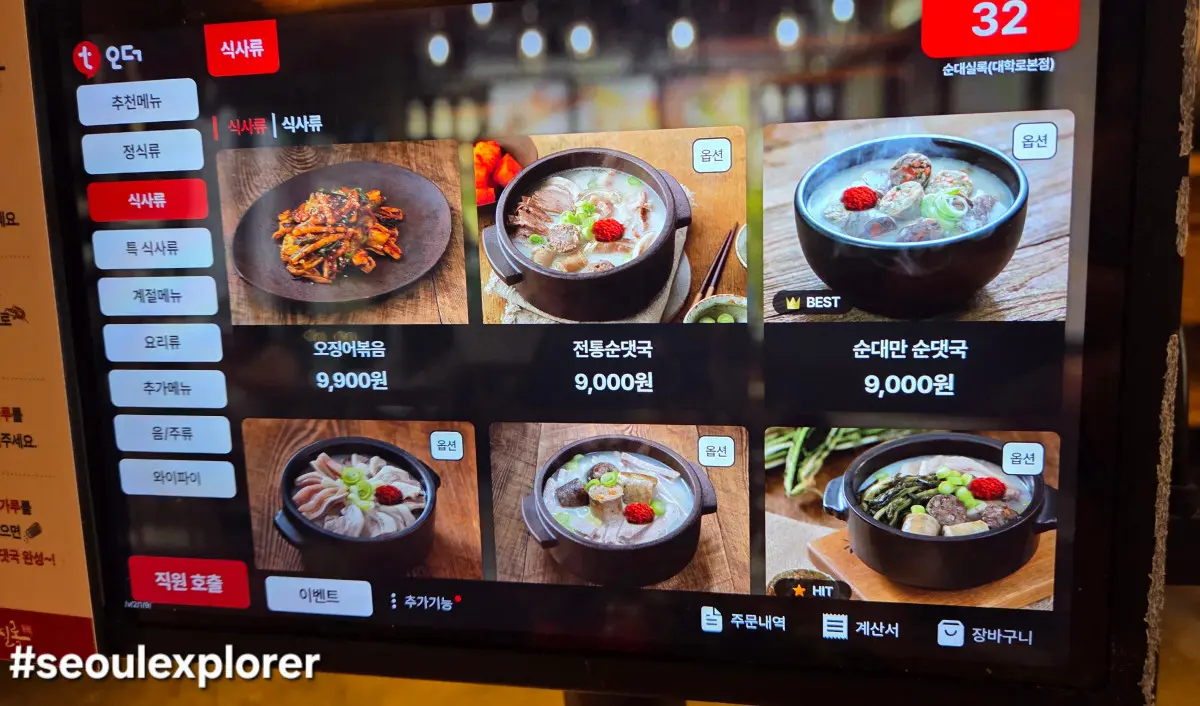
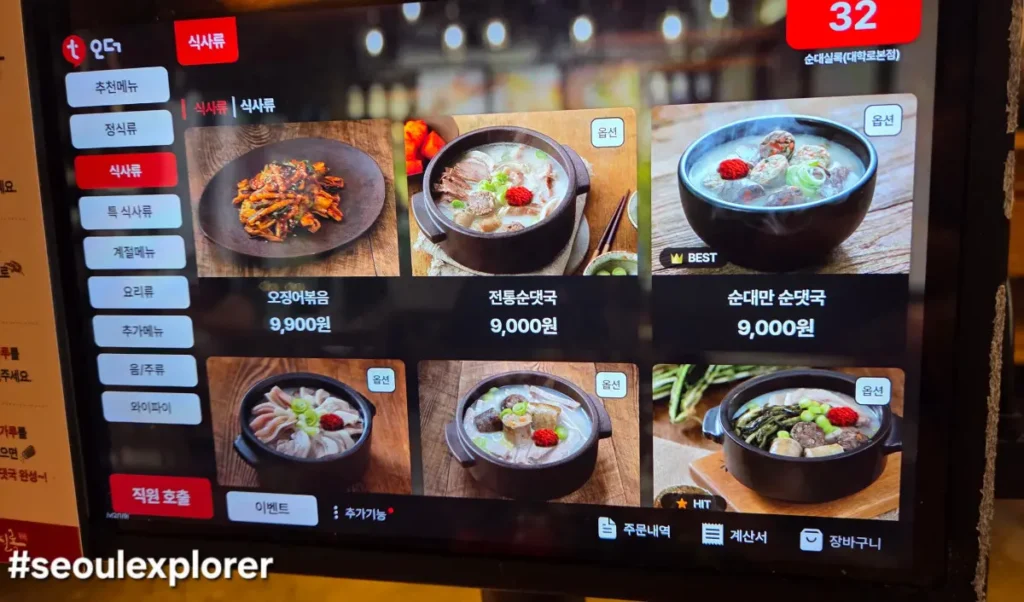
Nowadays, many restaurants in popular areas like Gwanghwamun and Ikseon-dong use table-top tablets. This is the most common way to order food without needing to speak the language.
| Ordering System | Common Places | Payment Timing | English Support |
|---|---|---|---|
| Table Tablet | Korean restaurants | At the table or counter | Usually available |
| QR Code Ordering | Cafes & modern restaurants | Mobile payment or counter | Sometimes available |
| Self-service Kiosk | Fast food & cafés | Before receiving food | Often available |
| Delivery App | Hotel | Depends | App |
Depending on the restaurant, you may order from a tablet, scan a QR code with your phone, or use a self-service kiosk before sitting down. Knowing which system you're using makes ordering much easier.
- How it Works: Each table has its own tablet. You can browse the menu with high-quality photos, select your items, and sometimes even pay right there using the card reader attached to the tablet.
- Language Tip: Look for a small globe icon or a ‘Language’ button. Most of these systems offer English, Chinese, and Japanese translations.
- Service at Your Fingertips: Need more water or side dishes (Banchan)? Instead of shouting “Yeogiyo!” (Excuse me), look for the ‘Staff Call’ button on the screen. It often has sub-options for specific requests.
Local Tip: Some restaurants require you to pay immediately at the tablet, while others ask you to pay at the counter when leaving. If you see a card reader attached, it’s usually a “pay-first” system.
QR Code Ordering in Korean Restaurants
QR code ordering has become increasingly common in Seoul, especially in cafés, casual restaurants, and newer dining spots.
After sitting down, you may find a QR code attached to the table instead of a menu. Simply scan it with your smartphone, and the ordering page will open in your browser.
Some restaurants provide English menus, while others display only Korean. In many cases you can pay immediately through your phone, while some restaurants ask you to pay at the counter after your meal.
If you cannot access the menu or have difficulty ordering, don’t hesitate to ask a staff member. Many restaurants are accustomed to helping international visitors.
Understanding the ‘Self-Service’ Culture
When you enter a restaurant in Korea, even after ordering through a tablet, there are things you should know about the table setting. To successfully order food in Korea, you must understand the ‘Self-service’ culture that follows the ordering process.
- Free Banchan Refills: One of the best things about dining in Korea is that side dishes (Banchan) are free and unlimited! While the first round is usually served by staff, many modern restaurants have a ‘Self-Service Bar.’ If you see a sign saying “Self (셀프),” it means you can go and get more kimchi, sprouts, or water yourself.
- Hidden Cutlery: Don’t panic if you don’t see spoons or chopsticks on the table. In 90% of modern Korean restaurants, there is a hidden drawer under the side of your table. Just pull it out, and you’ll find neatly arranged cutlery and napkins.
- The Bell System: If your table doesn’t have a tablet, look for a small round button on the table. Pressing this ‘Calling Bell’ notifies the staff. It’s not considered rude in Korea; in fact, it’s the most efficient way to get service!
How to Order Food in Korea Using Self-Service Kiosks
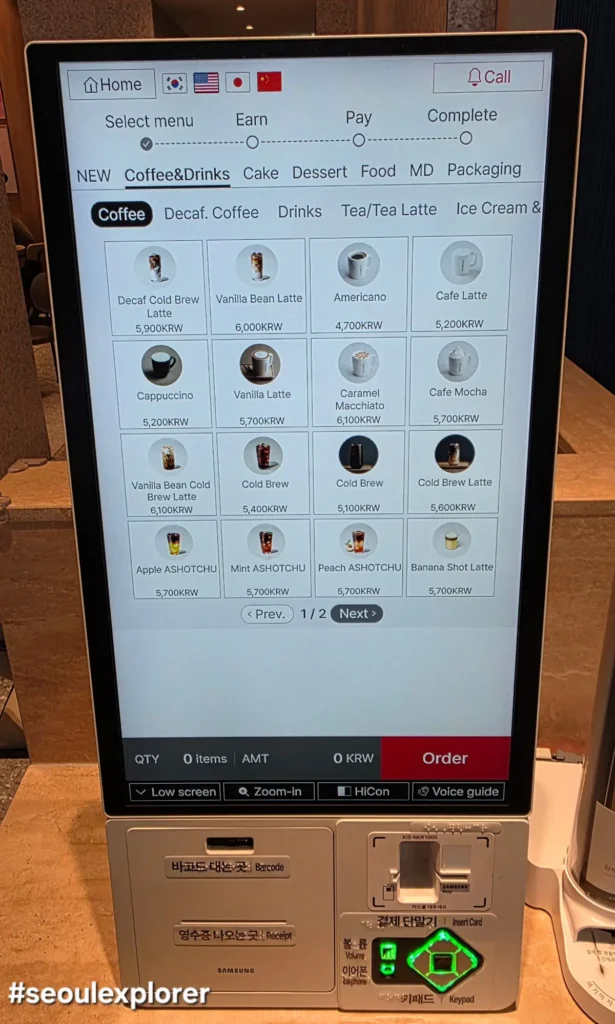
In fast-food joints or trendy cafes, you’ll encounter large standing kiosks. Mastering these is essential for a smooth order food in Korea experience.
- Payment First: Most kiosks are ‘Cashless,’ meaning they only accept cards. If you only have cash, you usually have to go to the counter, but many places are becoming strictly card-only.
- Order Process: Select ‘Eat In’ or ‘Take Out’ first, then browse the categories. Be careful with ‘Options’ – many Korean drinks allow you to customize ice levels or sugar content!
Food at Your Doorstep: Delivery Apps for Foreigners
Korea is the kingdom of delivery. Travelers can use specific apps to order food in Korea even without a local ID. While the most famous apps are ‘Baedal-ui Minjok’ and ‘Yogiyo,’ they require a Korean phone number and ID for registration. For travelers, I recommend these alternatives:
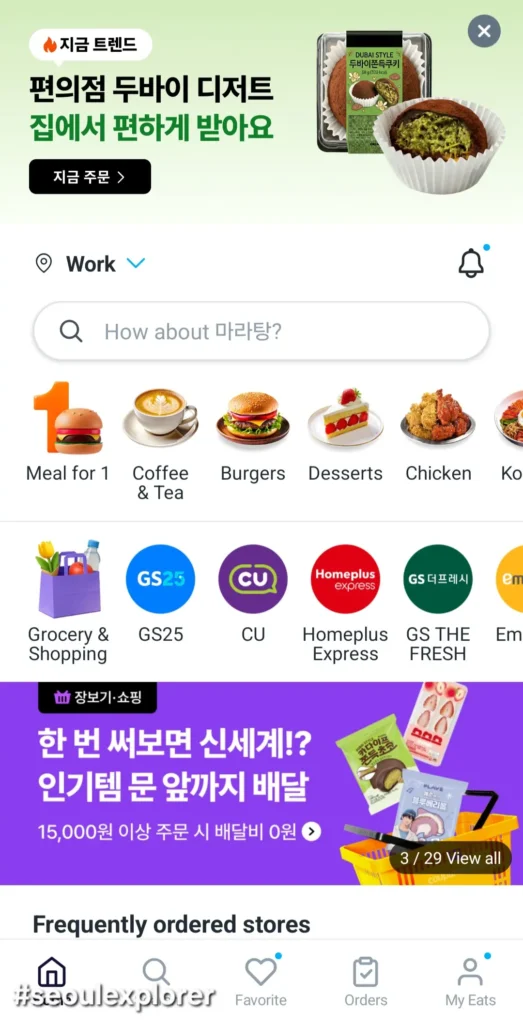
Coupang Eats (쿠팡이츠): This service is a favorite among travelers because it offers a user-friendly English interface and accepts most international credit cards. It is incredibly fast for getting fried chicken or Jajangmyeon delivered straight to your hotel lobby.
Shuttle Delivery: This is another excellent choice designed specifically for the expat and tourist community, offering full English support and a curated list of foreigner-friendly restaurants.
Native Tip: When I order food at home, I usually use the ‘Leave at the door’ option to keep things simple. It’s a great way to receive your meal comfortably without any language pressure!
Common Ordering Mistakes Tourists Make
Even though ordering food in Korea has become easier, first-time visitors often make the same mistakes.
- Waiting for staff even though the restaurant uses a tablet or QR code.
- Forgetting to choose “Eat In” or “Take Out” when using a kiosk.
- Assuming every ordering system offers English.
- Looking for forks or chopsticks on the table instead of checking the drawer underneath.
- Leaving without checking whether payment should be made at the table or at the counter.
Spending just a minute checking how the restaurant operates can save time and avoid unnecessary confusion.
What to Do with the Leftover Containers?
If you ordered food to your hotel or Airbnb using Coupang Eats, you might wonder about the leftover packaging.
- Disposable vs. Multi-use: Most deliveries now use disposable plastic containers. You should rinse them slightly and put them in the designated recycling area of your accommodation.
- The ‘Bong-tu’ (Plastic Bag) Rule: In Korea, waste disposal is very strict. If you are staying in an Airbnb, ask your host about the ‘standardized garbage bags.’ For hotels, you can usually leave the neatly packed delivery containers inside the room or ask the front desk for the designated spot.
- Liquid Waste: Never pour leftover soup or sauces directly into the trash bag. Try to dispose of liquids in the sink before recycling the plastic containers.
Essential Korean Phrases for Ordering
Even in a digital world, sometimes you need to speak. Here are the most useful phrases:
- “Yeogiyo!” (여기요!): “Excuse me!” – used to get attention.
- “Mulsom juseyo.” (물 좀 주세요.): “Please give me some water.”
- “Deol maep-ge hae-juseyo.” (덜 맵게 해주세요.): “Please make it less spicy.” (Crucial for some!)
FAQ
Can tourists order food in Korea without speaking Korean?
Yes. Many restaurants offer English tablets, QR ordering, or picture menus.
Do restaurants in Korea have English menus?
No. Tourist areas are more likely to provide English, but smaller local restaurants may only have Korean.
Can I use an international credit card at self-service kiosks?
Many kiosks accept international cards, but compatibility varies depending on the restaurant and payment terminal.
Which food delivery app is easiest for tourists?
Shuttle is generally the easiest because it offers full English support.
Once you understand how one restaurant works, you’ll quickly notice that many other restaurants across Seoul use very similar systems. Ordering food in Korea becomes much easier once you understand how tablets, kiosks, and delivery apps work. After using them once or twice, you’ll probably find them faster than traditional ordering systems. Whether you’re dining in Myeongdong, enjoying Korean BBQ in Hongdae, or ordering fried chicken to your hotel, these tips will help you avoid confusion and enjoy your meals with confidence.
- Seoul Station Guide (2026): Lockers, AREX, KTX & Local Tips for First-Time Visitors
- Seoul Lost and Found Guide (2026): What to Do If You Lose Your Phone, Wallet or Passport
- Seoul Subway Lockers Guide (2026): Prices, Reservation & T-Locker Tips
- Seoul Taxi Guide (2026): How to Take a Taxi, Use Kakao T & Pay Like a Local
- Korea Transportation Tips (2026): 10 Mistakes Every Tourist Should Avoid